1.2.2
Organize with New Tag Management and Filters
Published on November 25, 2025 at 09:41 PM
New Features / Enhancements
We're excited to unveil a powerful new way to organize and manage your release notes, making it easier than ever to keep your projects structured and your information easily accessible.
Loading image...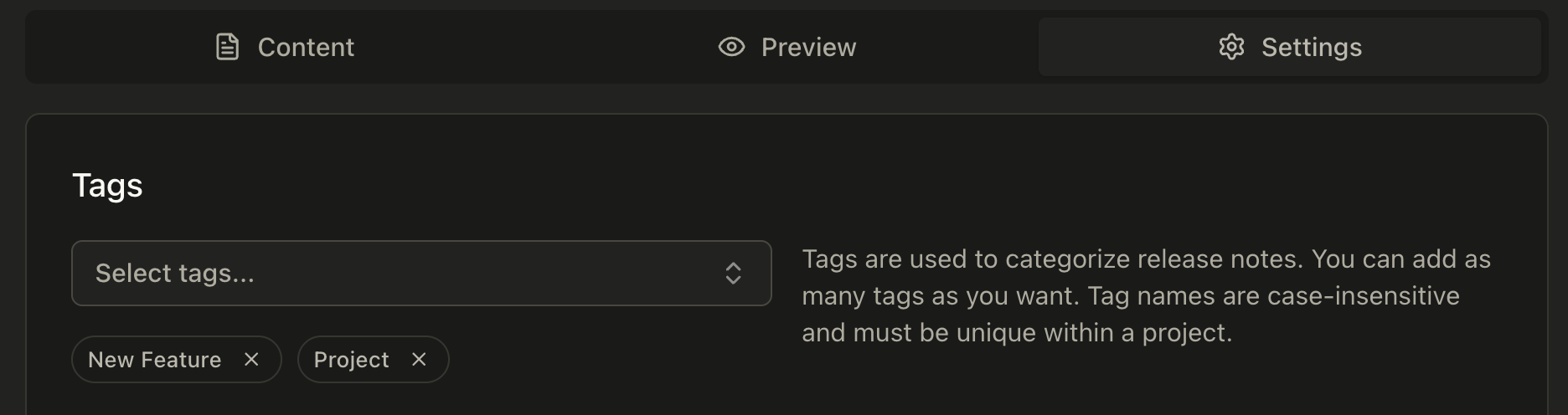
- Introducing Tag Management for Projects: You can now add tags to your release notes, providing a flexible and intuitive system for categorization. This means you can group related notes, track specific themes, or mark releases for particular milestones. The system ensures tag names are unique, even if entered with different capitalization, preventing duplicates and maintaining clarity. You can associate multiple tags with a single release note, allowing for multifaceted organization. This enhancement significantly improves how you navigate and filter your release history, leading to a more efficient workflow and a clearer overview of your project's evolution.
UI/UX Improvements
To complement the new tag management system, we've made thoughtful adjustments to the user interface, ensuring a smooth and integrated experience.
-
Enhanced Project Dashboard and Release Hub: The project dashboard and release hub have been updated to seamlessly incorporate tag filtering. You can now quickly narrow down your view to specific release notes by selecting one or more tags, allowing you to find the information you need with unprecedented speed.
-
Integrated Tagging in Release Note Editor: When creating or editing release notes, you'll find new UI components that make adding and managing tags a breeze. This direct integration ensures that tagging is a natural part of your release note creation process, further enhancing organization from the point of origin.